

Things That Go Blink
Overview
It all started with the Leela Chess Zero logo.
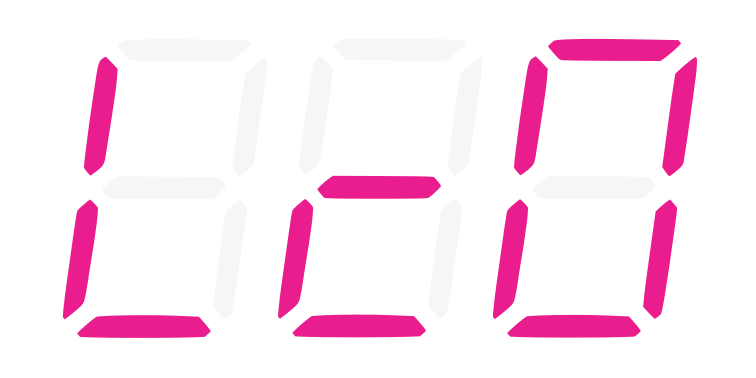
I wanted to make a display that could sit on my son’s desk that just displayed the Leela Chess logo. That was easy enough, but just staring at a static display like that kind of gets old. And I was wasting an entire Raspberry Pi Zero 2W just to power it, so it was really a waste. Why not also a clock? That’s what those displays are mostly for anyway. So that was easy too, but then why not the outside temperature? Why not some fun animations or some text messages scrolling saying that “dinner is ready”? Suddenly, it had become a real project with configuration and more complex needs.
Once I had that working and decided I wanted one of these and my wife wanted one, I needed a more central way to manage these and only fetch the weather in one place. Also, making a virtual display for debugging seemed handy.
Then I discovered other display types that I wanted to support. And initially, I had multiple projects for different displays since I wasn’t sure what would work together well. Eventually, I landed on five total projects:
- led-kurokku-go — a Go-based project for handling the display on any of the 3 LED displays I intended to support. It also has an optional web server for managing configuration of one or more displays. The
gosuffix here because I had originally developed the first version of this using Python (see the still-living led-kurokku repo). - lcd-kurokku — a Go-based project for handling the display on 16x2 or 20x4 character LCD displays.
- led-kurokku-esp — a Rust-based project for driving LED displays using an ESP32-C3 microcontroller.
- kurokku-esp-server — a Go-based web server for configuring and commanding the ESP32 versions of the display.
- nalssi — a Python-based server for handling weather fetching and distribution.
The name “kurokku” is a rough romanization of the Japanese word for “clock” (クロック) at least when used in combination with things like LED, and “nalssi” (날씨) is Korean for “weather.” I have a bit of a pattern going with the Korean-word project names — see also sigye.
Details
Hardware
I currently support five kinds of displays across the various projects:
| Display | Type | Interface | Driven by |
|---|---|---|---|
| MAX7219 4-in-1 | 32x8 LED pixel matrix | SPI | led-kurokku-go, led-kurokku-esp |
| TM1637 | 4-digit 7-segment LED | GPIO bit-bang | led-kurokku-go, led-kurokku-esp |
| HT16K33 | 4-digit 14-segment LED | I2C | led-kurokku-go |
| HD44780 | 16x2 or 20x4 character LCD | I2C | lcd-kurokku |
| Terminal / virtual | ASCII-art emulator | n/a | all Go projects |
The MAX7219 is the star of the show — 32x8 pixels is enough room for a clock, scrolling messages, animations, and even a rudimentary Game of Life. The TM1637 is the cheapest of the bunch and is what I originally cobbled together with Python for the Leela logo experiment. The HT16K33 14-segment was a later addition because I wanted to see what the better characters could look like. The HD44780 LCDs are the classic “white text on blue” character displays (or the yellowish green) that are common in a lot of ham radio displays.
The terminal emulators across all of these turned out to be more important than I thought. Being able to run the full widget engine against an ASCII-art version of the display means I can iterate on widget behavior without ever touching hardware — and more importantly, I can run actual unit tests against a SpyDisplay that captures what would have been drawn.
Software Architecture
There are really two separate families of devices here, and they share just enough to be useful but not so much that they’re forced into one codebase:
Family 1: Raspberry Pi — Redis is the bus.
led-kurokku-go and lcd-kurokku both run on a Pi (or any Linux box with the right GPIO/I2C/SPI bus). Each one connects to a Redis (or Valkey) instance, and everything interesting flows through Redis keys:
kurokku:config— the whole widget config. Update the key and the engine hot-reloads.kurokku:alert:<id>— individual alert payloads. A weather warning, a “take out the trash” reminder, whatever.kurokku:weather:temp:<location>— current values that amessagewidget with adynamic_sourcecan read each cycle.
The engine subscribes to Redis keyspace notifications, so when an alert appears, it interrupts the current widget and shows the alert right away. When a new config appears, the whole widget loop tears down and comes back up with the new settings. No restart. No SSH session.
Family 2: ESP32 — HTTP polling with a server-owned playlist.
led-kurokku-esp runs on a ~$5 ESP32-C3 which is, frankly, ridiculous. There’s no Redis on the device, no filesystem I want to babysit, no config file to edit (other than the environment config stored in NVS). Instead the firmware polls kurokku-esp-server every few seconds:
GET /api/v1/devices/{device_id}/instruction?display_type=max7219
The server owns the playlist — “30 seconds of clock, 10 seconds of alert check, 15 seconds of pong animation, repeat” — and hands back whichever widget instruction is current. The device is thin. If the server is unreachable, the device falls back to a local clock; after ~5 minutes of failures, it reboots to retry WiFi from scratch.
One thing I’m especially happy with on the ESP side: the firmware .bin has no WiFi credentials and no device ID baked in. All of that goes into NVS via a small Python provisioning CLI. That means a single signed OTA image is safe to push to every device on the fleet, which matters when the fleet of devices is “more than two.”
The glue: nalssi.
nalssi is the weather brain. It polls NOAA (for US locations), Open-Meteo (for everything else), and optionally OpenWeatherMap, normalizes the responses, and writes to whatever output backends you’ve configured. The kurokku Redis backend writes temperature values and alerts directly into the Redis keys that the Pi-based displays read from — so I’m not making the displays each hit the NOAA API independently.
Alerts get a priority assigned based on the event type — tornado and hurricane are priority 0, frost advisories are priority 3, and so on. The kurokku-esp-server then uses that priority gate: alerts at or above a configurable threshold only display during certain cron windows (default: every 15 minutes), while a tornado warning always interrupts immediately.
Here’s roughly how it all fits together:
Why five projects and not one?
This is the question I ask myself periodically. The honest answer is that I didn’t set out to have five projects — each one started as a small experiment that turned out to justify its own scope.
- Go for the Pi side because a single cross-compiled binary is easier to deploy than a Python venv, and the bit-bang timing on TM1637 is less stressful in Go than in Python.
- Rust for the ESP32 because that’s where the ESP-IDF Rust toolchain lives, and because I wanted an excuse. Also, no-std Rust is a genuinely nice match for firmware.
- Python for nalssi because FastAPI + SQLAlchemy + HTMX is a ridiculously productive stack for a service that’s mostly “schedule a job, hit an API, stuff the result in a database, render a table.”
- Two separate clock codebases (LED vs LCD) because the LCD display model (multiple screens, each with absolutely-positioned widgets) is genuinely different from the LED model (one widget at a time, cycling). I tried to unify them once. It was not better.
AI-assisted development
Almost all of this was developed with heavy use of Claude (via Claude Code, mostly). For a project like this — where I’m the sole user and the “requirements” are “whatever sounds fun this weekend” — that acceleration has been transformative. The LCD project in particular went from “I wonder if this would be interesting” to “running on my desk” in maybe two weekends of evenings.
The pattern I keep landing on is the same one I described in the army-days Go post: use the LLM to sprint through the boring scaffolding, then take over when the interesting decisions start. The hot-reload-from-Redis pattern, the playlist model for the ESP side, the cron-gating for low-priority alerts — those all came from me thinking about how I actually wanted to use the thing. But the hundreds of lines of I2C and SPI driver code? Claude wrote most of that on the first try.
What’s Next
A few things are nagging at me:
- Consolidating the two servers.
kurokku-esp-serverand the admin UI insideled-kurokku-goare solving adjacent problems. At some point I should probably merge them. - Capture Portal on
led-kurokku-espso that devices can be re-configured by end users without having to force/flash the NVS storage. - Firmware Publishing on
led-kurokku-espso that it’s easier to get the latest version of the firmware.